Chat with Boki
Tutorial — have your first conversation with Boki's AI agent
Chat with Boki
You'll have your first conversation with Boki, learn the interface, and understand how to get useful responses.
What you'll accomplish
By the end of this tutorial, you'll have:
- Had a real conversation with Boki
- Understood how to phrase effective questions
- Seen how Boki uses your workspace context
Prerequisites
- A Boki account (create one first)
- Ideally, at least one brief or article in your workspace
Step 1: Open the chat
Click the orange sparkle icon in the top right corner of any page.
The chat panel opens. You'll see:
- "Hi! I'm Boki." greeting
- A text input at the bottom
- Mode selector (Auto / Research) at the top
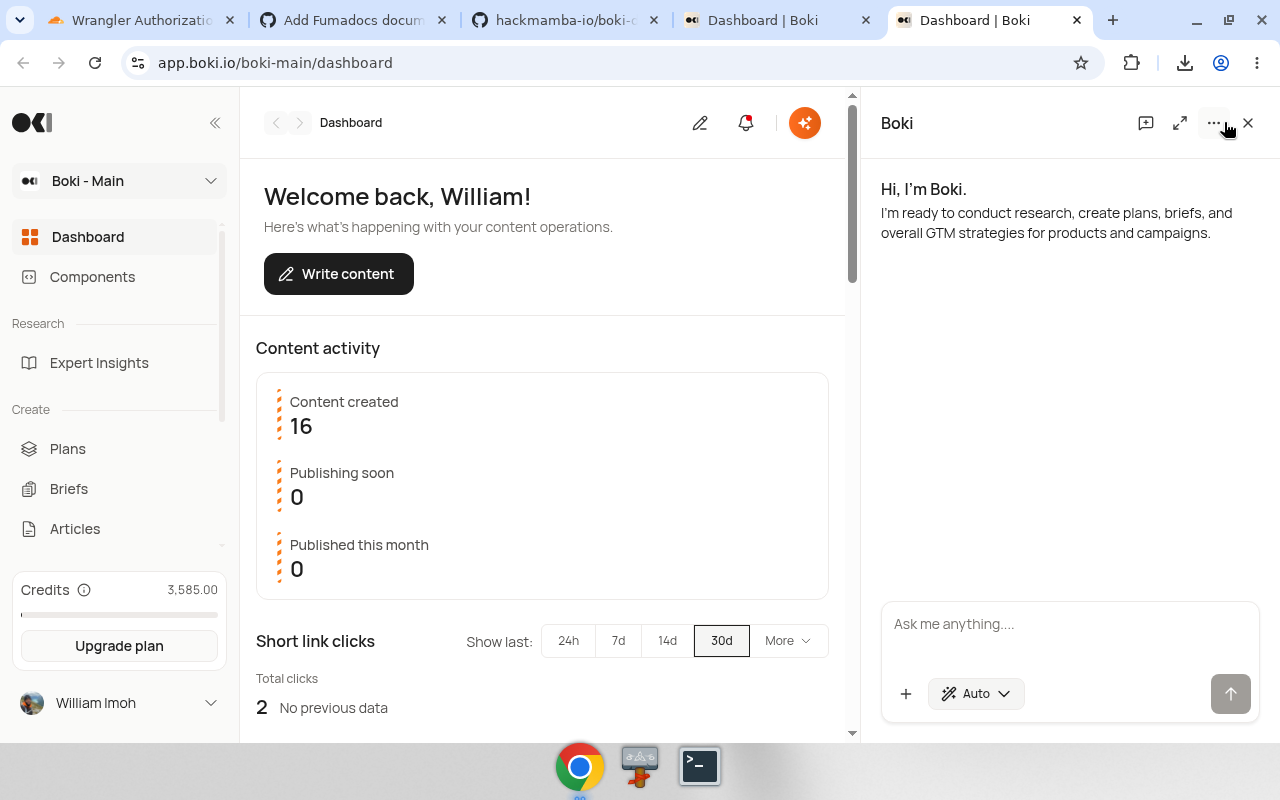
Confirmation: The chat panel is open and ready for input.
Step 2: Ask a simple question
Start with something straightforward:
What content do I have in this workspace?
Press Enter or click Send.
Confirmation: Boki responds with a summary of your plans, briefs, and articles.
Step 3: Ask about a specific topic
Now ask something related to your work:
What topics would be good to write about for [your audience]?
Boki uses your existing content as context. If you have briefs about SaaS onboarding, Boki might suggest related topics.
Step 4: Request research
Ask Boki to find external information:
Research the latest best practices for [topic relevant to your content]
Switch to Research mode for better results:
- Click the mode selector at the top
- Select "Research"
- Re-ask or ask a new research question
Confirmation: Boki searches the web and returns sources with summaries.
Step 5: Get specific suggestions
Ask for actionable output:
Based on my existing briefs, suggest three article angles I haven't covered yet
Boki analyzes your workspace and provides specific suggestions, not generic advice.
Step 6: Close and revisit
Click outside the chat panel or click the X to close it.
Your conversation history is saved. Open the chat again — your previous messages are still there.
Long conversations: When a conversation grows past a certain length, Boki automatically compacts older messages by summarizing them. This lets you continue the conversation without losing context or hitting token limits.
Jump to latest: If you scroll up in a long conversation, a button appears to jump back to the most recent message.
Effective prompting patterns
Be specific: "Research API authentication methods for SaaS products" beats "tell me about APIs".
Reference your work: "Looking at my brief about user onboarding, what's missing?" gives Boki context.
Ask for formats: "Give me a bullet-point outline" or "summarize in three sentences" shapes the response.
Request sources: "Include sources" or "link to the original" when you need citations.
Summary
You've had your first conversation with Boki. You know how to:
- Open and close the chat
- Ask questions in Auto and Research modes
- Get context-aware suggestions based on your workspace
Next: Use @ mentions to reference specific documents in your questions.