How to add an MCP server
Connect Boki agents to external tools via MCP
How to add an MCP server
Connect external MCP (Model Context Protocol) servers to give Boki agents access to additional tools.
Overview
MCP servers expose tools that Boki agents can use during research and review. When you connect an MCP server, its tools become available to all agents in your workspace.
Example: Connecting the Ahrefs MCP server gives agents access to SEO data, keyword research, and backlink analysis.
Prerequisites
- Workspace admin or appropriate permissions
- An MCP server URL
- Authentication credentials (if required by the server)
Steps
- Go to Settings (gear icon in sidebar)
- Under Workspace, click Agents
- Find the MCP server section
- Click Add MCP server
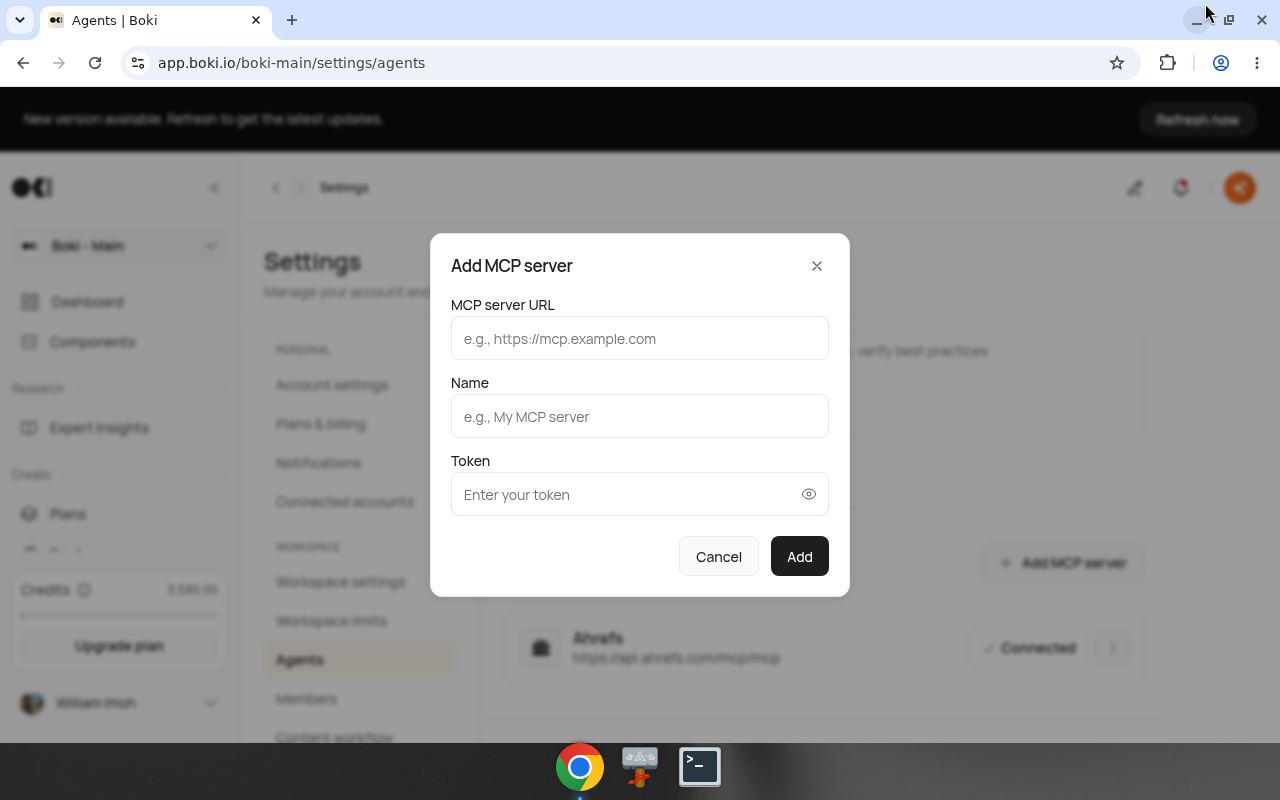
- Enter the required information:
- MCP server URL: The server endpoint
- Name: A display name for your reference
- Token: Authentication token (if required)
- Click Add
Example: Ahrefs
To connect Ahrefs:
| Field | Value |
|---|---|
| MCP server URL | https://api.ahrefs.com/mcp/mcp |
| Name | Ahrefs |
| Token | Your Ahrefs API token |
After connecting, Boki agents can access Ahrefs data when researching.
Finding MCP servers
MCP servers are provided by third-party vendors. Check with:
- Tool vendors you already use (SEO tools, analytics platforms)
- The MCP ecosystem for available servers
- Vendor documentation for MCP endpoints
Ahrefs is shown as an example connection, not the only option.
Authentication
MCP servers may require:
- Token authentication: Paste an API key or token
- OAuth: Complete an OAuth flow (handled automatically if supported)
Check the server provider's documentation for authentication requirements.
Result
After adding an MCP server:
- A connection entry appears in the MCP server list
- Status shows "Connected" when successful
- Agents can use the server's tools
Managing connections
View connected servers: Settings → Agents shows all connected MCP servers.
Remove a server: Click the menu (three dots) next to a server and select Remove.
Re-authenticate: If a connection fails, you may need to update credentials.
Related
- How to generate an MCP token — Expose Boki as an MCP server
- MCP client and server explained — Understanding MCP
- Settings reference — All settings documentation