How to generate an MCP token
Create a personal access token to connect external clients to Boki's MCP server
How to generate an MCP token
Generate a personal access token (PAT) to connect MCP clients that require a pasted token — such as Cursor, Claude Desktop (local), or custom integrations.
Note: ChatGPT and Claude web/app now support OAuth, which is easier — no token to manage. See How to connect ChatGPT or Claude to Boki.
Overview
For clients that need a token, you generate a personal access token (PAT) in Boki and configure your client with that token.
Boki MCP server endpoint: https://app.boki.io/api/mcp
Prerequisites
- A Boki account
- Access to Settings
Steps
- Go to Settings (gear icon in sidebar)
- Under Workspace, click Agents
- Scroll to the MCP tokens section
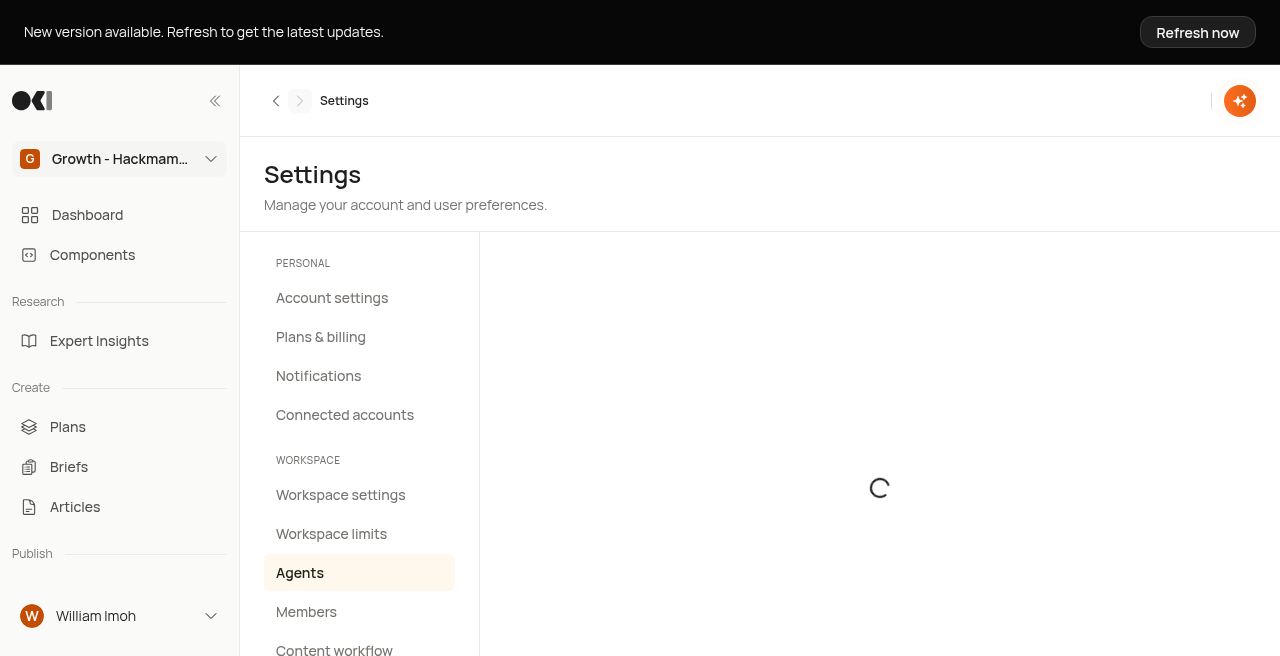
- Click Generate token
- In the dialog:
- Token name: Enter a descriptive name (e.g., "Claude Desktop", "Cursor")
- Expires in: Select expiration period (30 days)
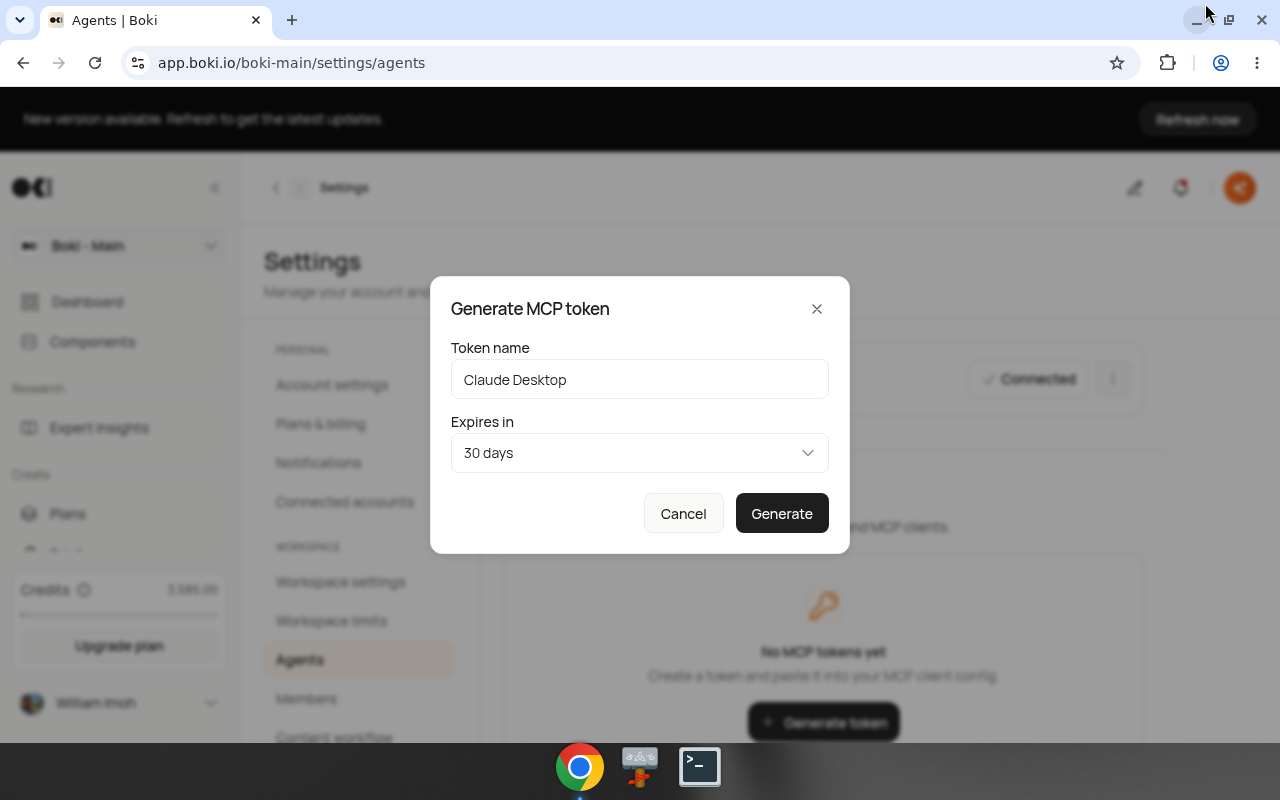
- Click Generate
- Copy the token immediately — it's shown only once
Token format
Tokens start with the prefix boki_pat_ followed by a unique string.
Example format: boki_pat_xxxxxxxxxxxxxxxxxxxx
Save this token securely. Boki does not store the full token after creation.
Configuring your MCP client
After generating a token, configure your MCP client:
Connection details:
- Server URL:
https://app.boki.io/api/mcp - Token: Your generated
boki_pat_*token
Configuration varies by client. Consult your client's documentation for where to enter MCP server credentials.
Available scopes
Boki's MCP server provides access to:
| Scope | Operations |
|---|---|
| articles | Read and write articles |
| briefs | Read and write briefs |
| plans | Read and write plans |
| social_posts | Read and write social posts |
| promotions | Read and write promotions (MCP tools use distribution naming) |
| shortlinks | Read and write short links |
| experts | Read and write experts |
| insights | Read and write insights |
| components | Read and write MDX components |
The server exposes approximately 48 tools covering these scopes.
Managing tokens
View existing tokens
Settings → Agents → MCP tokens shows all active tokens with:
- Token name
- Creation date
- Expiration date
Revoke a token
To revoke a token:
- Find the token in the list
- Click the menu (three dots)
- Select Revoke
Revoked tokens stop working immediately.
Token expiration
Tokens expire after 30 days. Before expiration:
- Generate a new token
- Update your MCP client configuration
- Revoke the old token (optional — it will expire anyway)
Empty state
If you haven't created any tokens, you'll see:
"No MCP tokens yet. Create a token and paste it into your MCP client config."
Result
After generating a token:
- External MCP clients can connect to Boki
- Clients can read and write your Boki content
- All operations are authenticated as you
Related
- How to connect ChatGPT or Claude — OAuth connection (no token needed)
- How to add an MCP server — Connect Boki to external MCP servers
- MCP tokens reference — Technical reference
- MCP client and server explained — Understanding MCP