How to add agent context
Configure content instructions that guide all Boki agents
How to add agent context
Give Boki agents persistent context through content instructions.
Overview
Content instructions are free-text guidance that apply to all agent interactions in your workspace. Use them to enforce brand voice, technical standards, or review criteria.
Prerequisites
- Workspace admin or appropriate permissions
- Access to Settings
Steps
- Go to Settings (gear icon in sidebar)
- Under Workspace, click Agents
- Find the Content instructions section
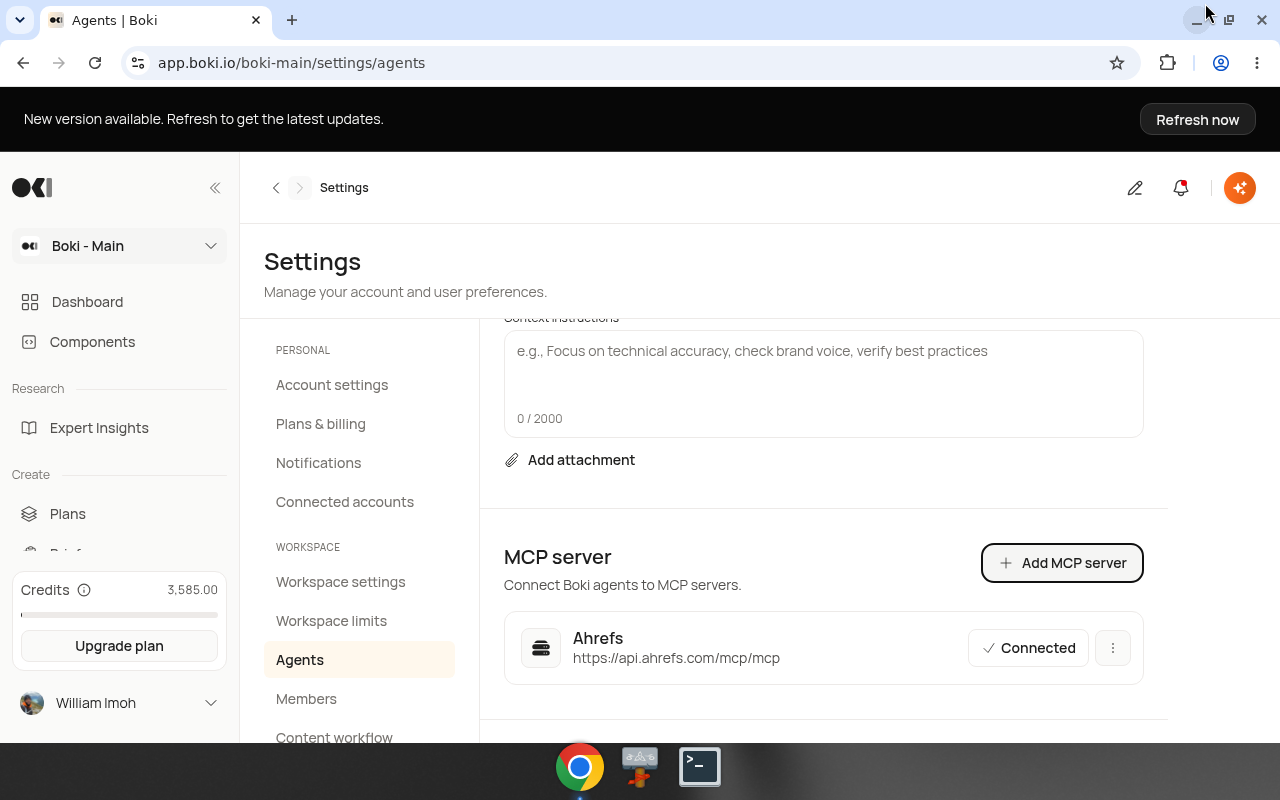
- Enter your instructions (up to 2,000 characters)
- Optionally, click Add attachment to upload reference files
- Instructions save automatically
Example instructions
Brand voice:
- Use active voice
- Address readers as "you"
- Avoid jargon unless defined
- Keep sentences under 25 words
Technical standards:
- All code examples must include error handling
- Use TypeScript, not JavaScript
- Include imports in code snippets
- Test all CLI commands before publishing
Review criteria:
- Verify all statistics have sources
- Check competitor content before finalizing
- Flag claims about performance without benchmarks
Attachments
You can attach files that agents will reference:
- Style guides
- Brand documentation
- Technical specifications
- Example content
Supported file types vary. Text-based formats work best.
Result
After adding context:
- All agents in the workspace follow the instructions
- Reviews reference your criteria
- Research aligns with your priorities
Changes apply immediately to new agent interactions.
Tips
Be specific: "Check brand voice" is less useful than listing specific voice requirements.
Update regularly: As standards evolve, update the instructions.
Test with a prompt: After adding instructions, ask Boki a question to see how the context affects responses.
Related
- Settings reference — All settings documentation
- Boki Agents — How agents work